Setting an import schedule
The schedule decides how often Elie goes and looks. Without one, an import connector only ever fetches when you ask it to by hand — see Fetching now.
- The IntelieKonnect module visible in your left-hand navigation.
- This permission: IntelieKonnect — Update.
- An import connector. You can set a schedule before enabling it; nothing runs until the connector is Active.
If IntelieKonnect isn't in your navigation, your role doesn't have visibility for it — ask a workspace administrator, or see Permissions and module visibility.
Steps
Open the connector and select Schedule Configs. With nothing set yet it reads No schedule configured yet.
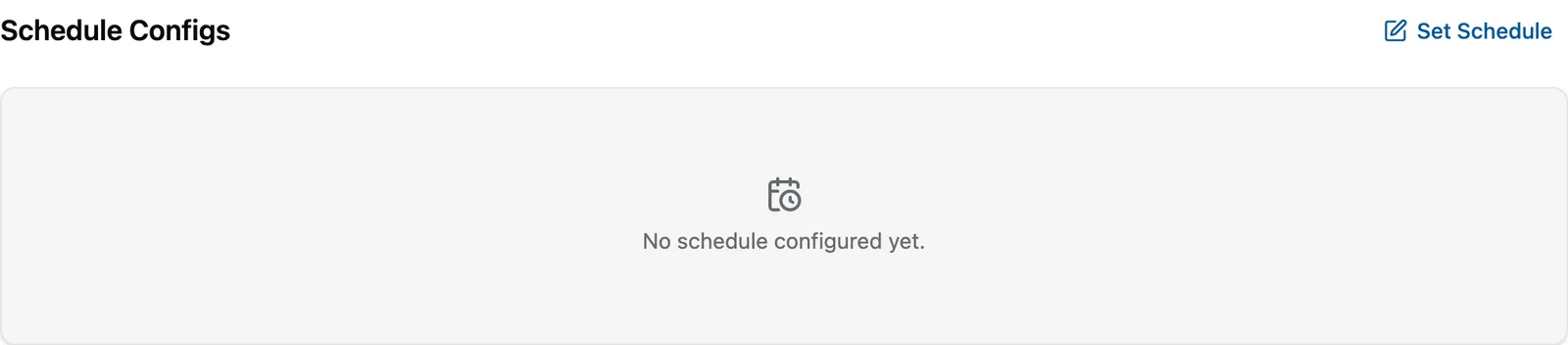
No schedule means no automatic fetching. EnlargeSelect Set Schedule.
Choose one of three under Schedule Type: Standard Interval to run repeatedly at a fixed interval, Day wise to set a custom frequency, days and time, or Cron Based to run on a custom cron schedule.
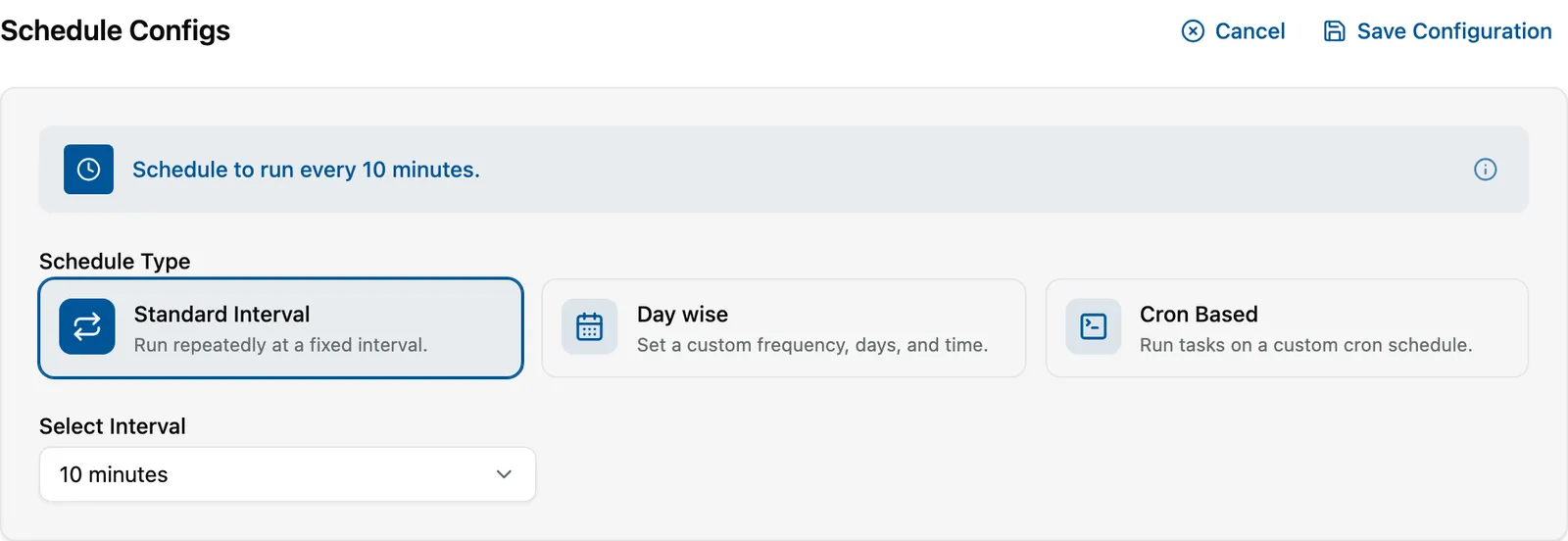
The editor summarises your choice in a sentence as you build it. EnlargeFor Standard Interval, choose a value under Select Interval. The editor keeps a plain-English summary above the fields — for example *"Schedule to run every 10 minutes."* — so you can check the result without reading the fields back.
Select Save Configuration. The tab now shows the schedule instead of the empty-state message.


Choosing between the three
Standard Interval — "every N minutes/hours". Right for almost everything. A mailbox or a drop folder that receives work through the day wants this.
Day wise — a frequency, specific days, and a time. Right when the source only changes on a known rhythm: a partner who uploads on weekday evenings, a nightly database export. Also the polite choice against a system you would rather not poll all day.
Cron Based — a cron expression, for the shape the other two cannot express: the first Monday, every quarter, twice a day but only on weekdays. Reach for it when you need it, not before — a cron expression is harder for the next person to read than "every 15 minutes".
How often is too often?
Two things to weigh, neither of which Elie can decide for you:
- The source's own limits. Mail providers and APIs throttle. A five-minute poll against a provider that expects fifteen will start failing, and the failures look like credential problems.
- How fresh the work needs to be. An invoice inbox where someone is waiting benefits from a short interval. An archive that is written once a night does not — checking every ten minutes just means 143 fetches that find nothing.
If you are unsure, start longer and shorten it if people are waiting.
The schedule is not the whole story
A schedule only runs on an Active connector. Setting one on a Draft or Disabled connector is allowed and changes nothing until you enable it.
And an enabled, scheduled connector still delivers nothing until it is bound to something that wants the documents — see Binding a connector to an orchestrator. Those are the two most common reasons a correct-looking schedule appears to do nothing.
What success looks like
- Schedule Configs shows your schedule instead of No schedule configured yet.
- The summary sentence describes what you intended.
- Once the connector is Active and bound, documents begin appearing on the orchestrator's Documents tab at roughly the interval you chose.
If something goes wrong
| Symptom | Likely cause | What to do |
|---|---|---|
| The tab has no Schedule Configs at all. | Some connector types have no schedule — Webhook and the accounting connectors push immediately. | Expected. See Which tabs you see. |
| The schedule is set but nothing is fetched. | The connector is not Active, or not bound. | Check Status on Overview, then check the binding. |
| Fetches start failing after you shortened the interval. | The source is throttling. | Lengthen the interval. Rate-limit refusals often surface as authentication errors. |
| Save Configuration does nothing. | An incomplete schedule — a missing day or time on Day wise, an invalid expression on Cron Based. | Check the summary sentence; if it cannot describe your schedule, the schedule is not yet valid. |
Next
- Fetching now — running it once, immediately.
- Enabling and disabling — making the schedule take effect.
- Binding a connector to an orchestrator — giving the documents somewhere to go.