Managing API keys
Give a partner system its own key to the Elie API, and replace or cancel that key later without touching anything else.
- The Developers app in your top bar.
- These permissions: Identity & Users · Api Integration - List, Identity & Users · Api Integration - Create, Identity & Users · Api Key - Create, Identity & Users · Api Key - Update, Identity & Users · Api Key - Delete.
- The orchestrators, knowledge bases or voice applications the key will use must already exist.
If Developers isn't in your top bar, your role can't view it or your plan doesn't include it. Ask a workspace administrator, or see Permissions and module visibility.
Steps
Open Developers
Select your name in the top-right corner, then Developers. It opens on Keys.
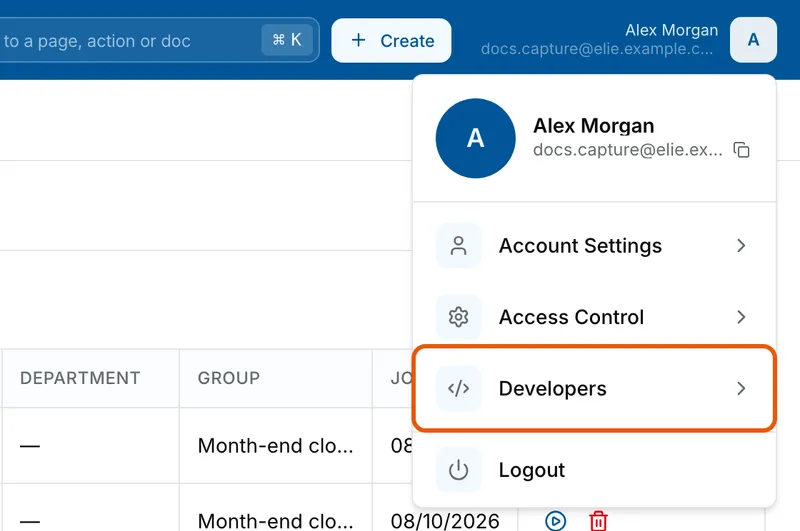
The menu under the avatar at the top right: Alex Morgan and docs.capture@elie.example.com above Account Settings, Access Control, Developers and Logout. Developers is ringed. Create the integration
An integration stands for one partner system and holds up to five keys. Type its name under New integration and select Create integration. To add a key to an existing one, pick it under Integration instead.
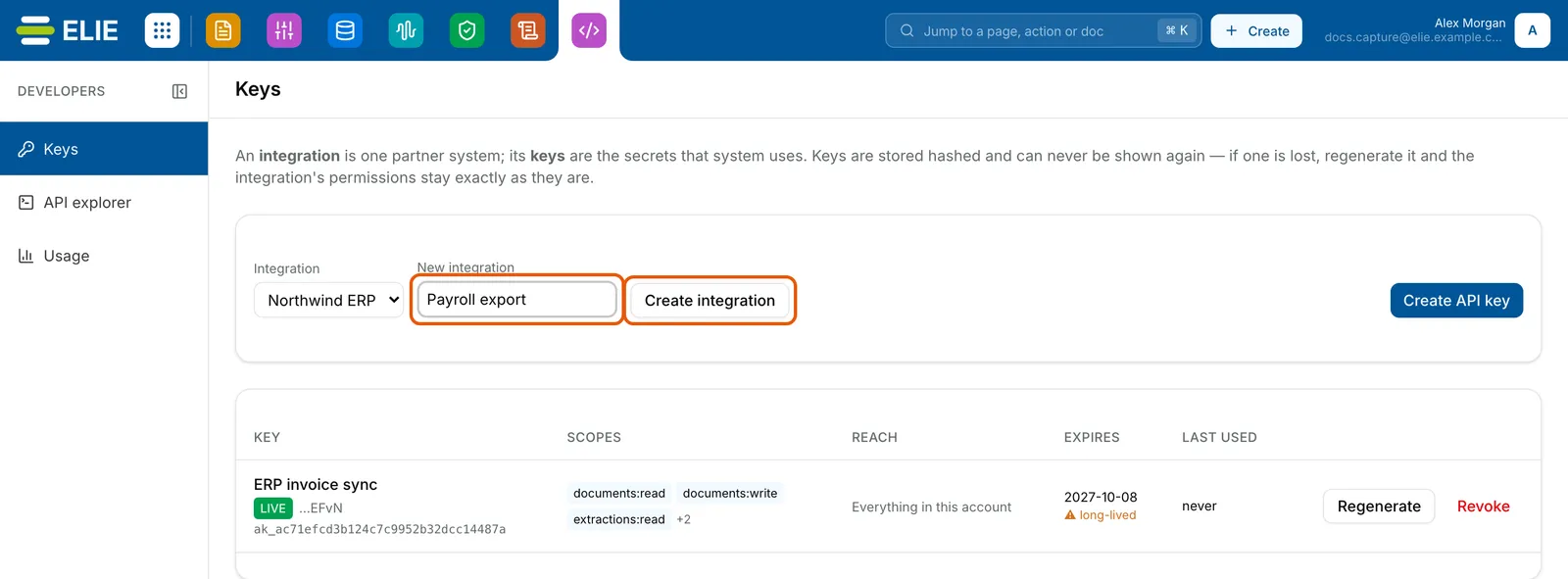
The Keys page under Developers. Northwind ERP is chosen under Integration, Payroll export is typed under New integration, and both that box and Create integration are ringed; below, the key ERP invoice sync, a live key with its scopes, Everything in this account as its reach, an expiry date, never used, with Regenerate and Revoke. EnlargeDescribe the key
Select Create API key. Give it a Name, choose an Environment (a
testkey is for Try it and staging) and an Expires date, at most a year away. Under Choose what this key may do, tick only the scopes the system needs.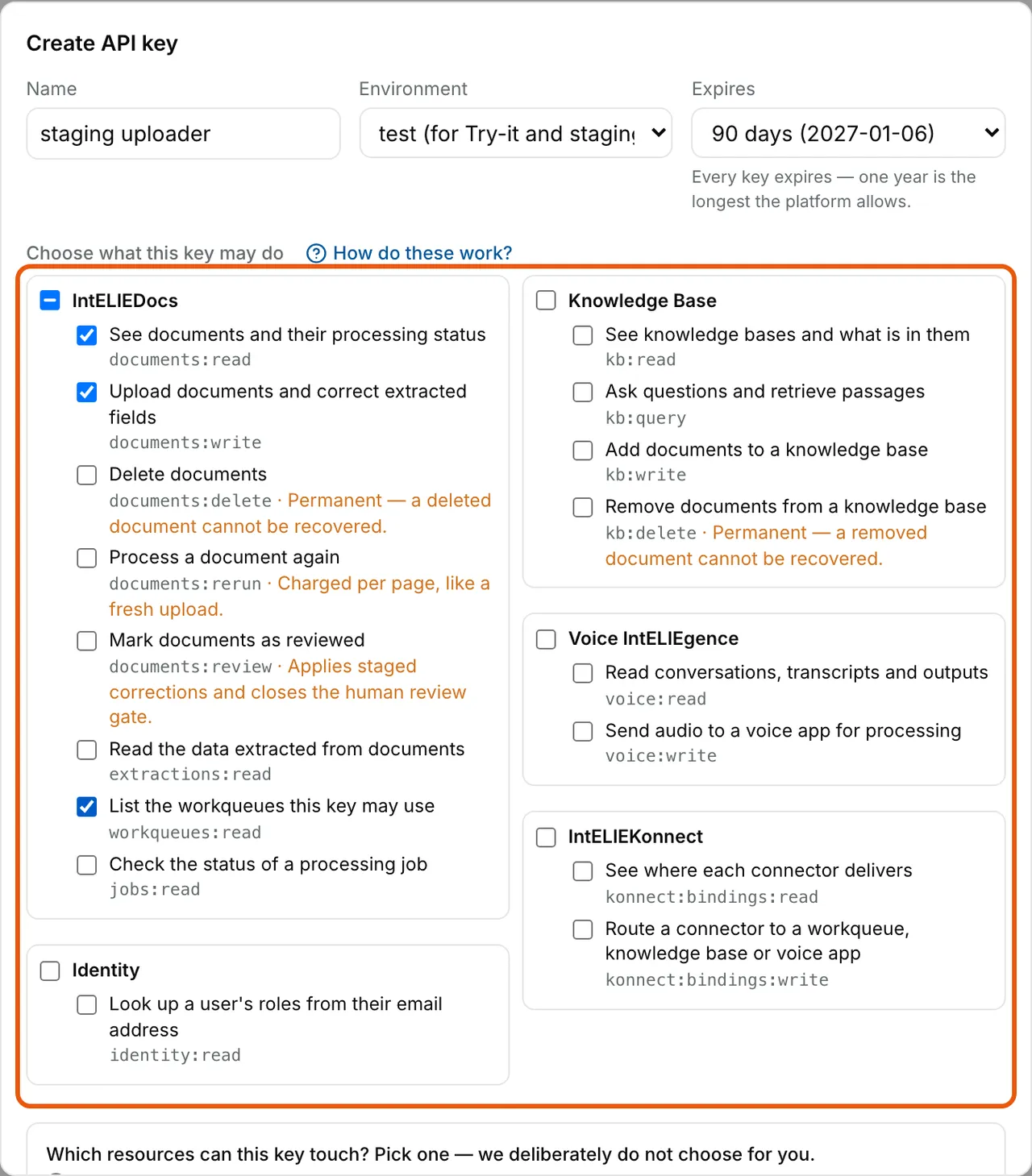
The Create API key dialog: Name staging uploader, Environment test, Expires 90 days, and the ringed scope list under Choose what this key may do, grouped by IntELIEDocs, Knowledge Base, Voice IntELIEgence, IntELIEKonnect and Identity, with three IntELIEDocs scopes ticked. Choose its reach and create it
Choose Everything in this account, or Only these resources and pick the workqueues, knowledge bases or voice apps it may use. Select Create key, then Copy the key and store it before you select I have stored it. It is never shown again.
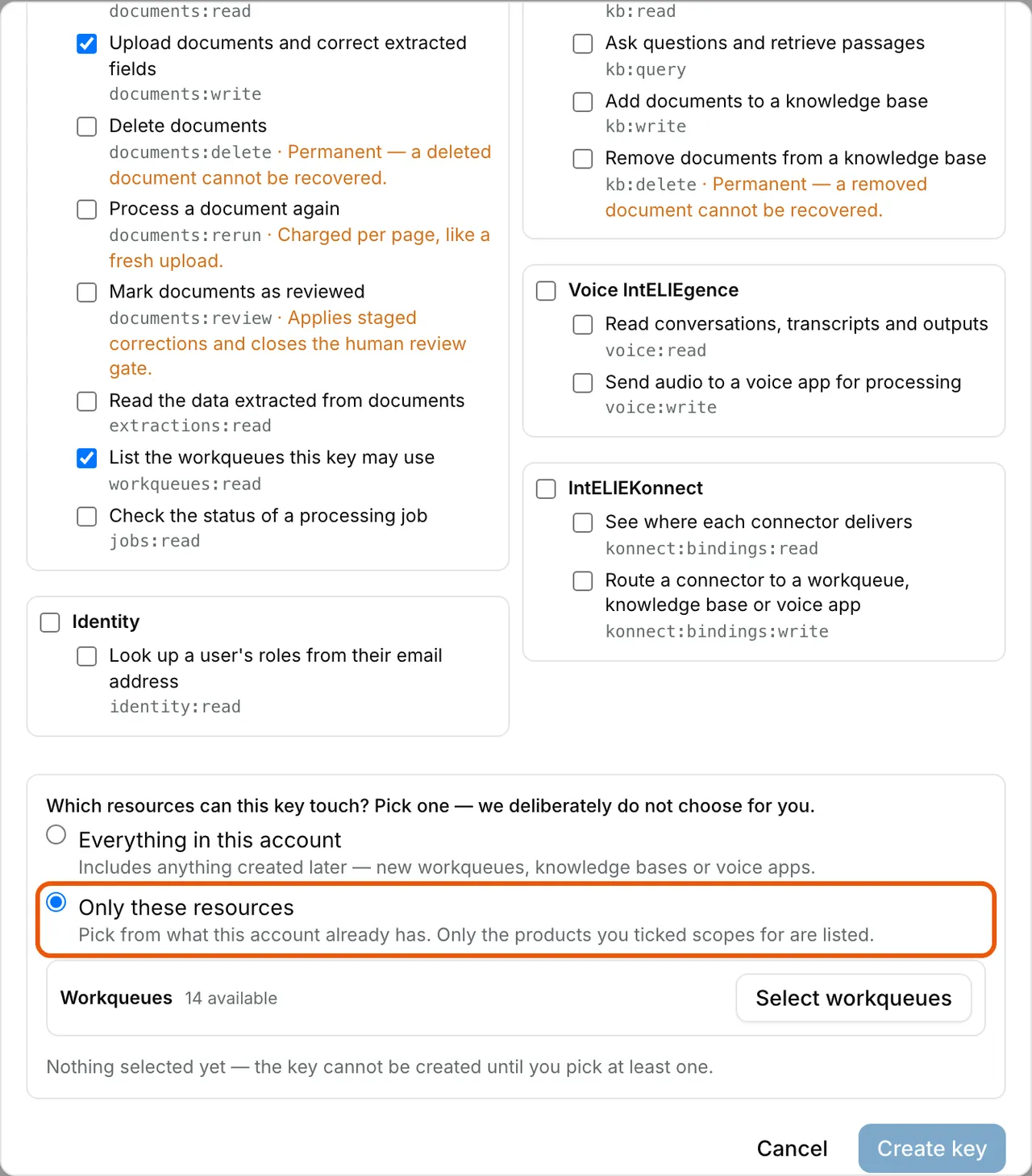
The foot of the Create API key dialog: under Which resources can this key touch, Only these resources is chosen and ringed, with Workqueues and a Select workqueues button, the note that nothing is selected yet, and Cancel and a greyed-out Create key. Regenerate a lost or leaked key
Select Regenerate on its row. If it was lost, keep the old key working for 1 hour, 24 hours or 7 days while you swap it; if it leaked, stop the old key at once. Select Regenerate, then copy the new key as before.
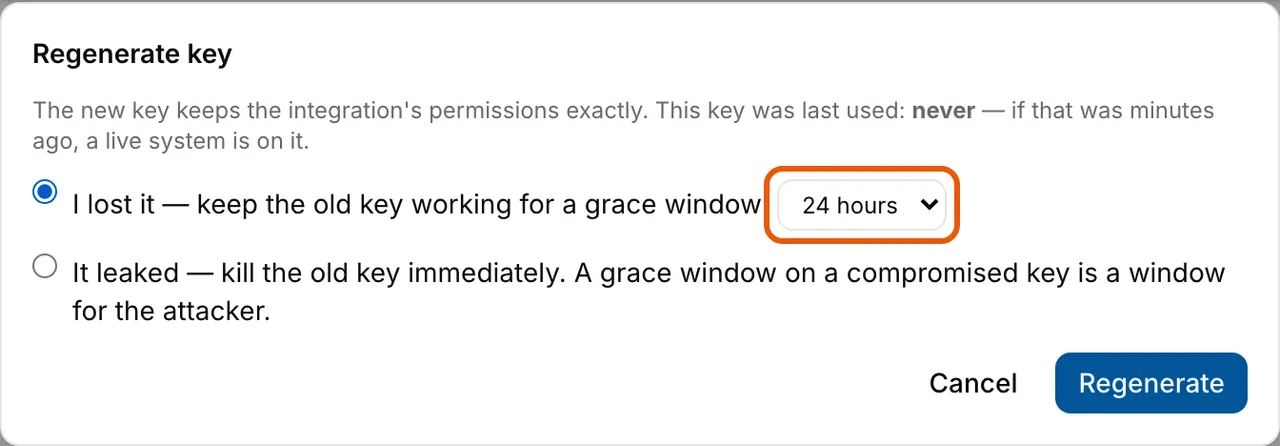
The Regenerate key dialog with I lost it, keep the old key working for a grace window chosen and its grace period, 24 hours, ringed; the other choice is It leaked, kill the old key immediately. Cancel and Regenerate. Revoke a key
Select Revoke on its row, then Revoke key. This cannot be undone.
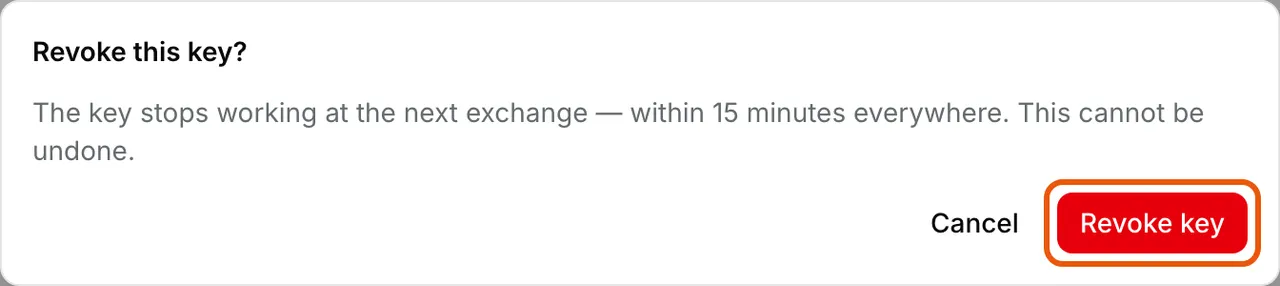
The Revoke this key? dialog: the key stops working at the next exchange, within 15 minutes everywhere, and this cannot be undone. Cancel and the ringed Revoke key.


What success looks like
- The new key appears on Keys with its Scopes, Reach and Expires date, and Last used fills in once your system exchanges it for a pass.
- Your system's call to
/external/v1/auth/tokenreturns anaccess_token. - After a revoke, the next exchange with that key fails. A pass already issued keeps working for up to 15 minutes.
Keys and plans
A key's scopes are grouped by product. A product your organisation's plan doesn't include reads Not in your plan, and its scopes can't be ticked. A regenerated key keeps the old key's scopes and reach, and expires a year from the day you regenerate it.
If something goes wrong
| Symptom | Likely cause | What to do |
|---|---|---|
| Create API key is greyed out. | No integration is selected, because none exists yet. | Create one under New integration first. |
| Developers shows nothing, or refuses you. | Your role lacks Identity & Users · Api Integration - List. | Ask an administrator. See Permissions. |
The exchange answers 401 invalid_token. | The key was revoked, has expired, or was copied incompletely. | Check Expires on its row, then regenerate it. |
Calls answer 404 for something that exists. | The key's Reach doesn't include it. | Create a key with the right reach. A key for IntELIEKonnect needs Everything in this account. |
Calls answer 403 naming a scope. | The key lacks that scope. | Create a key with it. Regenerating keeps the old scopes. |
Next
- The Elie API - exchanging the key, limits, errors and billing.
- IntELIEDocs API - the most common first integration.
- Permissions - who may create and revoke keys.