A tenant's people and their access
When a tenant's own administrator cannot help, for example because they are the one locked out, staff can stop or restore one person's sign-in. Nobody is deleted from here: a revoked account stays, and everything the person did stays attributed to them.
- Access to Tenants in the staff console.
- A tenant that is not Offboarding or Deleted. On those two the action icons are hidden.
If an area or a button is missing, your staff role does not include it. Ask a platform administrator to extend your access.
Steps
Open Admin Users
Open the tenant from Tenants, then select Admin Users in the Settings rail. Despite the name it lists everyone in the tenant, with EMAIL, NAME, ROLE and STATUS.
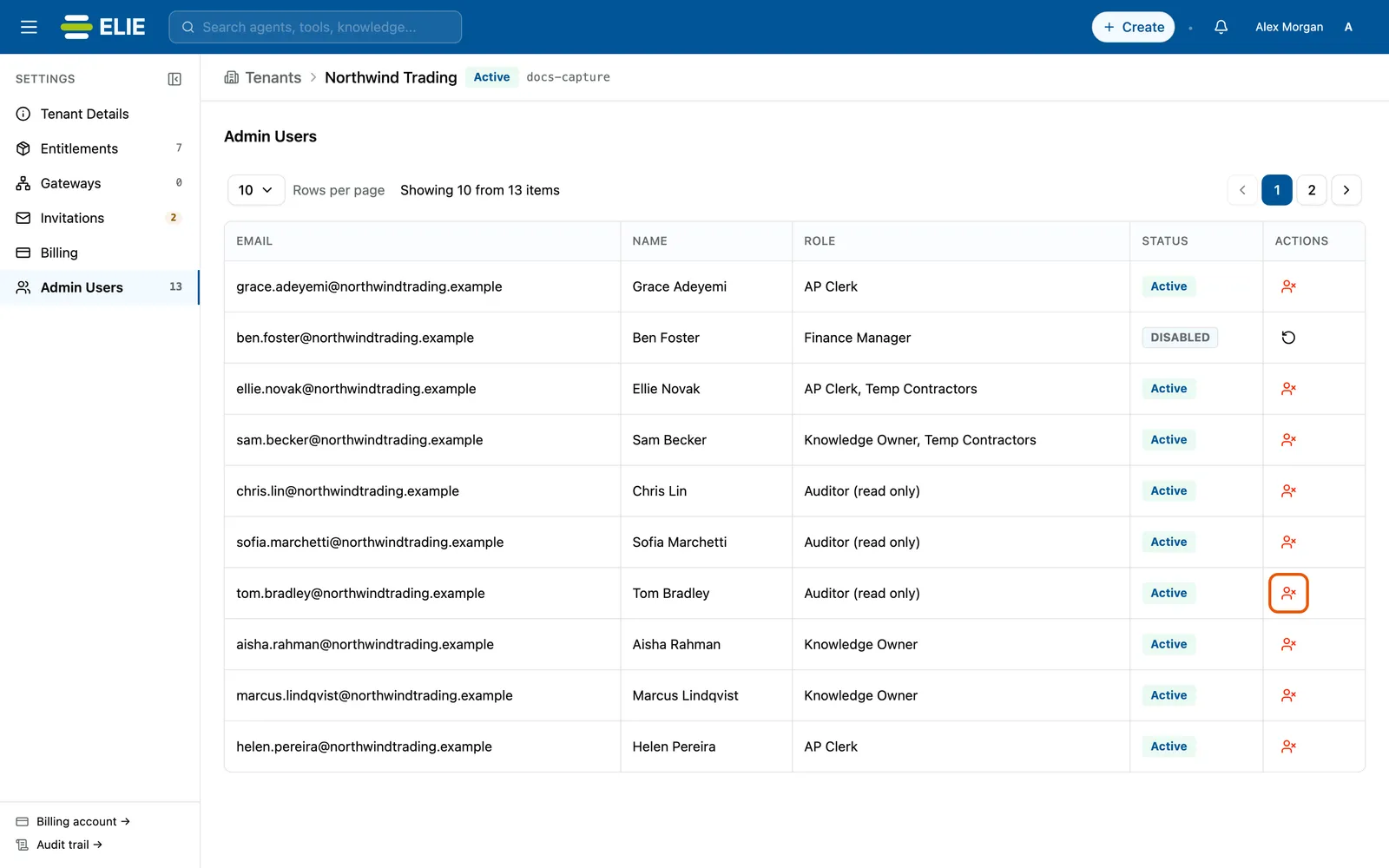
Northwind Trading's Admin Users list: each person's email, name, roles and status, with the Revoke access icon ringed on Tom Bradley's row. EnlargeStart the revoke
Under ACTIONS, select the person’s Revoke access icon. A drawer restates who loses access.
Give a reason
Type a Reason. It goes into the audit trail with your name, and Revoke access stays greyed out until it is filled.
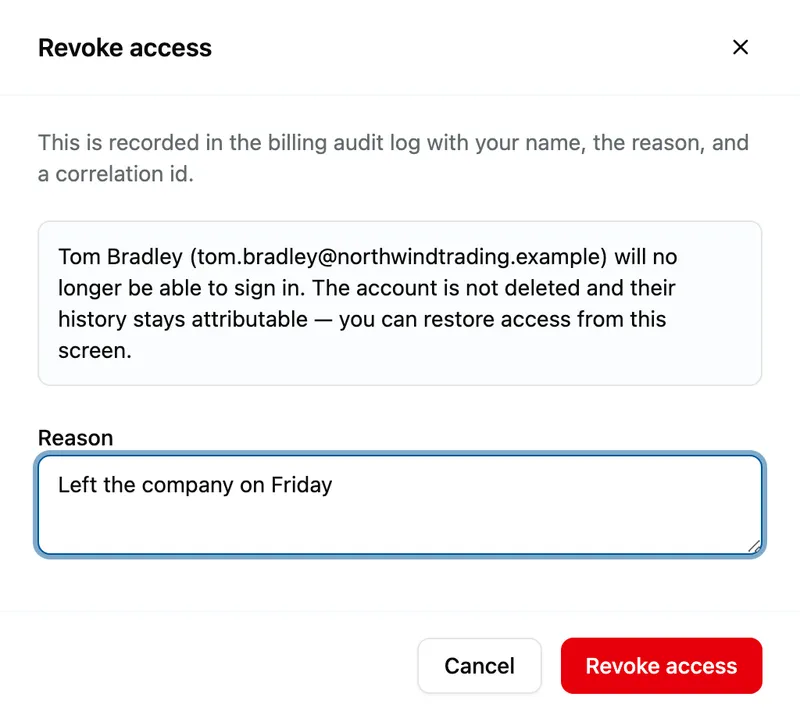
The Revoke access drawer saying Tom Bradley will no longer be able to sign in and that the account is not deleted, with Reason reading Left the company on Friday, above Cancel and Revoke access. Confirm
Select Revoke access. The person can no longer sign in.


What success looks like
- Access revoked. appears and the row's status changes to DISABLED.
- The same row now offers Restore access, which takes effect in one step, with no confirmation, and shows Access restored.
Reading the list
ROLE shows every role the person holds, separated by commas, or no role when they hold none. A dash means the service did not say. Statuses are Active, Pending (account not yet activated) and DISABLED. Integration and machine identities are left out on purpose.
From an accepted invitation
On Invitations, a row whose invitation was accepted offers two more actions for that person. Password Reset makes them set a new password at their next sign-in; their current one stops working once they do. Disable asks for a reason in a dialog titled Disable and their email, then blocks their sign-in; Activate reverses it.
If something goes wrong
| Symptom | Likely cause | What to do |
|---|---|---|
| No ACTIONS column. | The tenant is Offboarding or Deleted, so its page is read-only. | Nothing can change on it. |
| Revoke access in the drawer stays greyed out. | Reason is empty. | Type why access is being revoked. |
| The person is not listed. | They were invited but have not accepted yet. | Look on Invitations. |
| Password Reset is not offered on an invitation row. | The invitation is not ACCEPTED. | Resend the invitation instead. |
Next
- Inviting a tenant administrator - invitations and their statuses.
- Deactivating and reactivating a tenant - blocking the whole tenant at once.
- Resetting your password - what the person sees.